Project Time Tracking Software

Real-time project tracking that keeps you on budget and your team productive.

Fully functional 14-day trial | No credit card needed

Trusted by over 10 000 companies worldwide

  • Endygo
  • ITsyndicate
  • Pulso
  • 050media
  • JOT Digital
  • Freshlab
  • Mvad
  • Swaven

Project Tracking Shouldn't Be Chaos

Without TMetric

  • I don't know which projects are profitable
  • Team hours are scattered across spreadsheets
  • I can't tell if we're over budget until it's too late

With TMetric

  • I see profitability for every project in real time
  • All project time is tracked in one place
  • Budget alerts keep projects on track

Manual project tracking is costing you money

TMetric gives you full visibility into project time, budgets, and team workload - so you can deliver on time and stay profitable.

6 hrs A week are wasted on tracking project status manually
35% improvement in project profitability with real-time tracking

TMetric Key Features

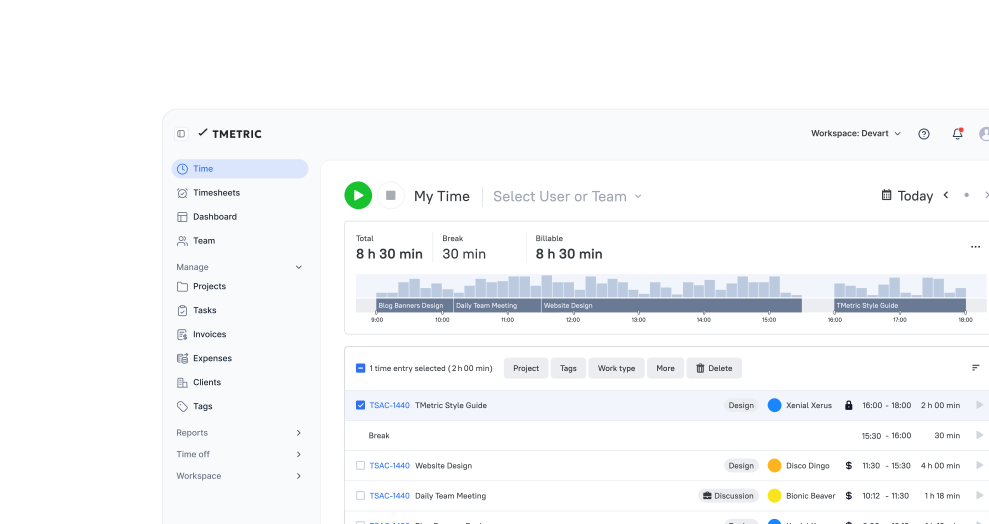
Track time across all your projects effortlessly

TMetric project time tracker helps you monitor every hour spent on projects, so you always know where time goes and how productive your team is.
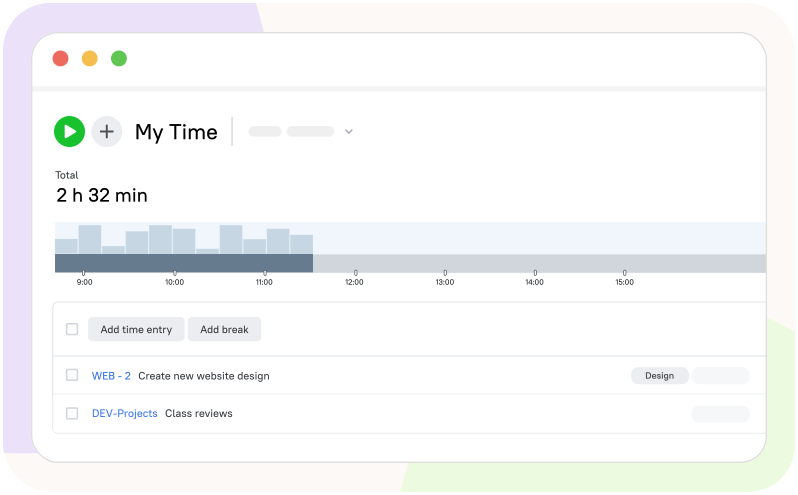
  • Track time for unlimited projects and tasks
  • Switch between projects without stopping the timer
  • See which projects are taking the most time
  • Organize work by clients, teams, or departments
  • Keep historical data for long-term analysis
Track time across all your projects effortlessly

Never go over budget again

Set project budgets and get real-time alerts before you overspend. TMetric helps you stay in control of costs and deliver profitable projects.
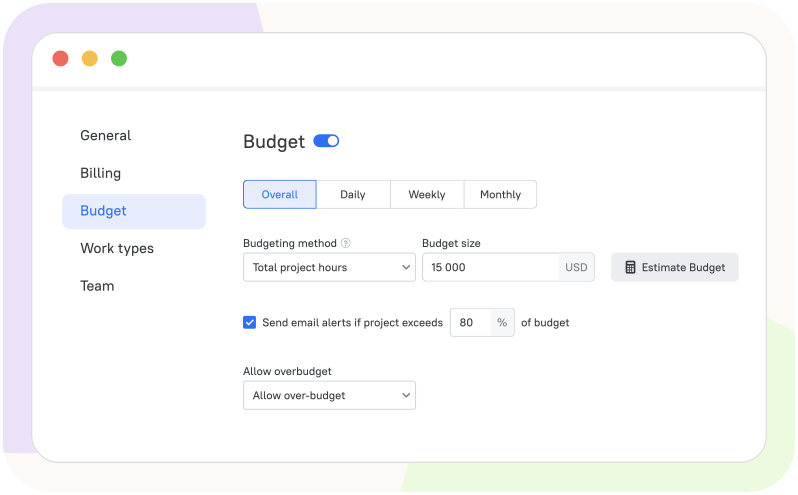
  • Set time and money budgets for each project
  • Get automatic alerts when approaching budget limits
  • Track actual vs estimated hours in real time
  • Adjust project scope before it's too late
  • Avoid costly surprises at the end of the project
Never go over budget again

See exactly where your team's time goes

TMetric gives you complete visibility into team workload across all projects, so you can balance tasks and prevent burnout.
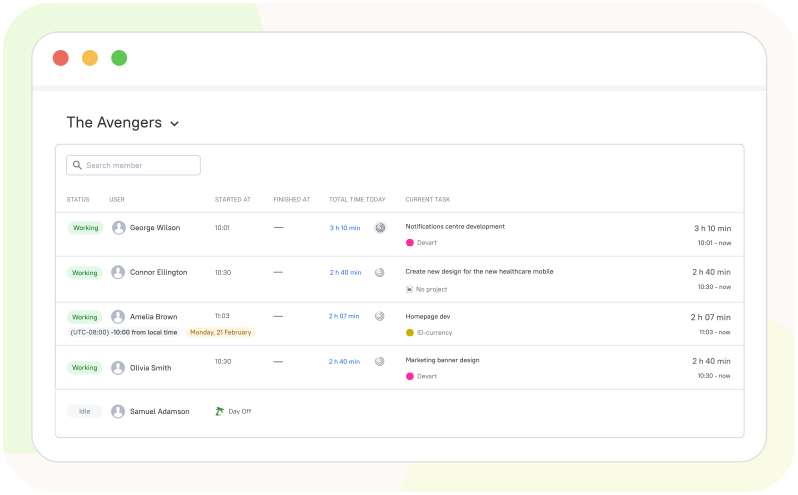
  • View team member time across all projects
  • Identify who's overloaded and who has capacity
  • Reassign tasks based on real workload data
  • Track individual and team productivity
  • Make smarter staffing decisions with accurate data
See exactly where your team's time goes

Understand project profitability at a glance

Know which projects are making money and which are losing it. TMetric calculates profitability automatically based on tracked hours and rates.
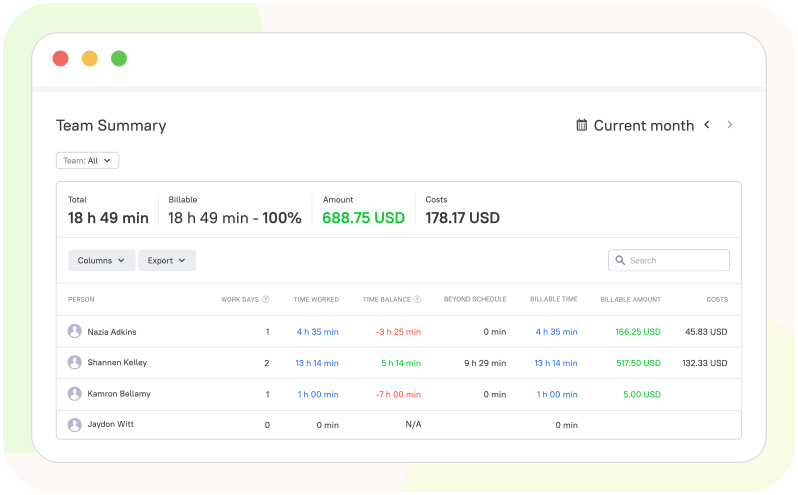
  • Compare project revenue against actual costs
  • See profit margins for each project instantly
  • Identify unprofitable projects before they drain resources
  • Make data-driven decisions about future projects
  • Export detailed reports for stakeholders and clients
Understand project profitability at a glance

Track Project Time
Wherever You Work

Start timers directly from your task management and project tools - keep everything connected in one workflow.


See all integrations

See TMetric Invoices in Action

From starting a timer to analyzing profitability, TMetric gives you complete control over project time tracking and helps you deliver projects on time and on budget.

Frequently Asked Questions

Do I need to create separate timers for each project?

No, you use one timer that you can assign to different projects as you work. Simply select the project and task you're working on, start the timer, and TMetric handles the rest.

Can I see how much time each team member spent on a project?

Absolutely. TMetric provides detailed reports showing exactly how much time each team member has logged on any project. You can filter by date range, team member, or specific tasks to see individual contributions. The team workload view gives you a visual breakdown of who's working on what, making it easy to balance workloads and identify capacity issues before they become problems.

Does TMetric calculate project profitability automatically?

Yes, TMetric automatically calculates project profitability based on tracked hours and billing rates. Once you set hourly rates for team members and project budgets, TMetric compares actual time costs against project revenue in real time. You'll see profit margins, actual vs estimated costs, and revenue breakdowns in the profitability reports.

Is there a limit to how many projects I can create?

No, there's no limit to the number of projects you can create in TMetric. Whether you're managing 5 projects or 500, you can track time for all of them without restrictions.

Does TMetric show project progress and completion percentage?

Yes, TMetric helps you monitor project progress by comparing actual time spent against estimated hours. You can see how much of your time budget has been used and how much remains.

Stop losing track of project hours

Track hours across all projects, get alerts before budgets run out, and make every project worth your time

Start free trial
Stop losing track of project hours